
Overview
The National Senior Certificate (NSC) is South Africa's school-leaving qualification — the equivalent of A-Levels or the Indian Class 12 board exams. Every year, over a million students write the NSC examinations across 12 subjects and multiple years of past papers. Access to past papers is essential for preparation, yet many students struggled to find, organise, and study from them on mobile devices.
HeyMath! partnered to build a dedicated mobile app giving every South African matric student instant, offline-capable access to the complete NSC past paper archive — structured, searchable, and study-optimised.
The Problem
South Africa has significant digital inequality. Many matric students in rural areas and township schools have smartphones but unreliable or expensive internet connections. The existing ways to access past papers — the Department of Basic Education website, WhatsApp shares, scattered PDFs — were fragmented, data-heavy, and not designed for mobile study sessions.
Students needed a tool that worked well on entry-level Android devices, didn't eat through mobile data, and made it fast to find the right paper for any subject and year without navigating through complex government portals.
"I have to ask my teacher for the papers, wait for her to WhatsApp me a PDF, and then it crashes my phone. I just want to practise."
Research & Discovery
Given the civic-scale nature of this product, the research approach was deliberately broad — we needed to understand both the diversity of device conditions and the range of study behaviours across different school contexts.
Key constraints uncovered
Device fragmentation: The target user base skews strongly Android, with a wide range of older devices. The app had to perform on 2GB RAM handsets and render PDFs without crashing. This became the primary technical constraint that shaped design decisions — especially around offline caching and file size.
Study pattern: Students didn't study one subject start-to-finish. They studied in bursts — 20 minutes between school and work, on commutes, during load-shedding periods. The UI had to support resuming mid-paper and quick context switching between subjects.
Trust signals matter: Students were cautious about apps claiming to have "official" content. Clear attribution to the Department of Basic Education and transparent paper provenance were non-negotiable for trust and adoption.
Design Execution
Navigation & discovery
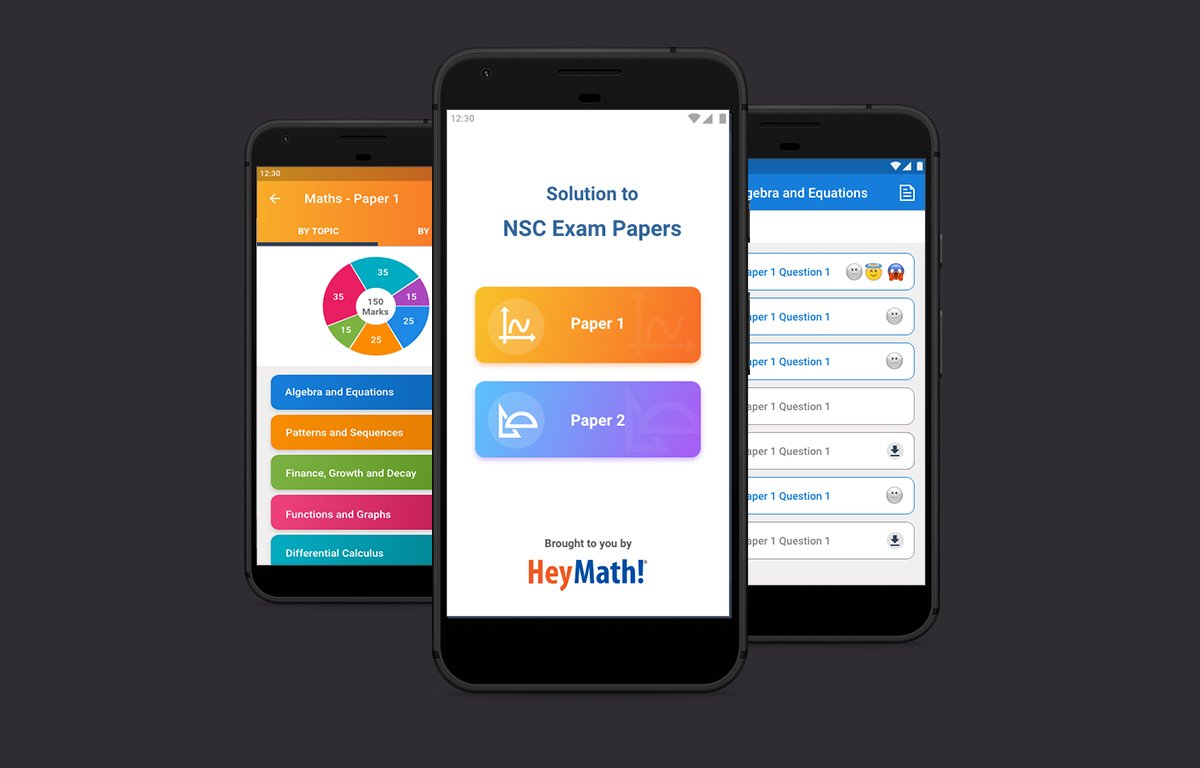
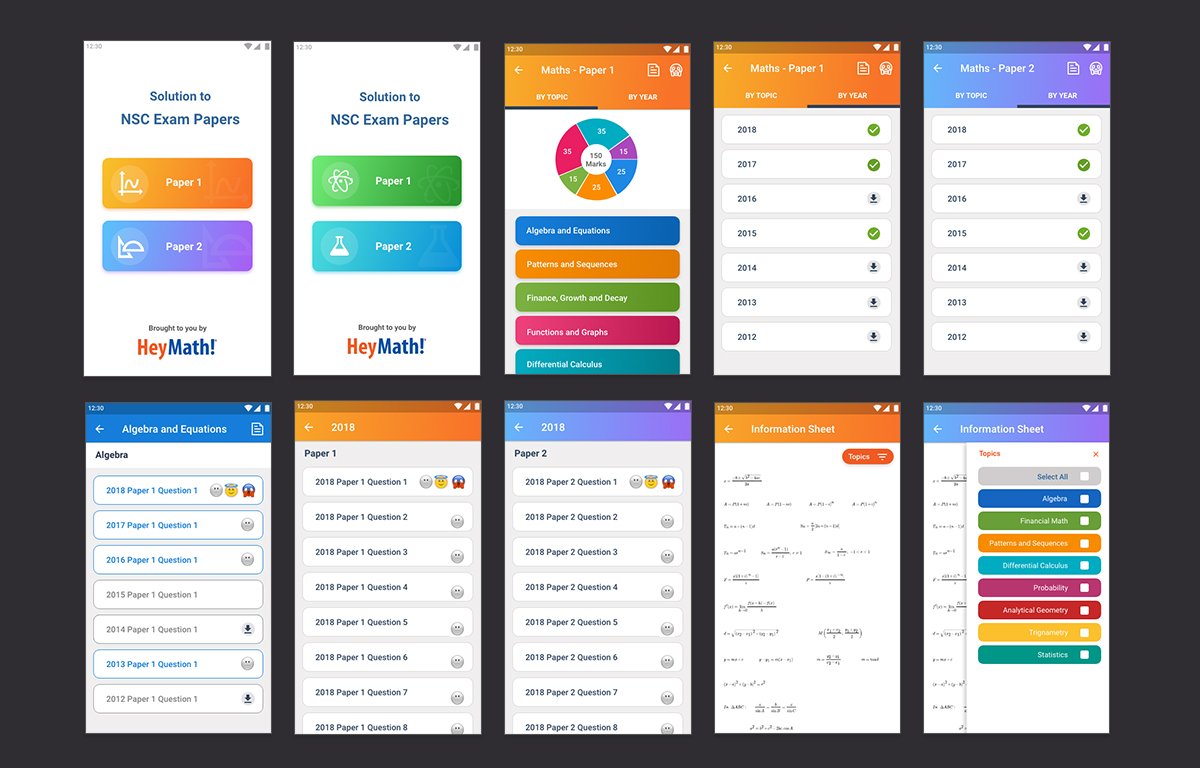
Designed a subject-first navigation model: students select a subject → browse years → select paper type (Paper 1, 2, memo). This three-tap path to any paper respected the mental model established by how students already thought about exam prep — by subject and year, not by date uploaded or any other system-centric logic.
Offline-first reading
Papers are cached on first open, with a clear download status indicator on each paper. The UI distinguishes between "Available offline" and "Requires data" states with a simple icon system. Students in zero-signal environments can study from any previously opened paper without network access.
Bookmarks & progress
Designed a lightweight bookmarking system — students could flag questions they wanted to revisit, and the app would surface a "Flagged questions" collection across all papers. No login required; state is stored locally. This respected the reality that many students shared devices and didn't want to create accounts.
Performance on low-end hardware
Worked closely with engineering to establish a strict performance budget: maximum 2 seconds to open any cached paper, maximum 4 seconds for uncached on LTE. PDF rendering was optimised with progressive loading — the first page was visible before the full document was in memory.
Outcomes
The app saw strong organic adoption in South Africa, driven by student-to-student word of mouth on WhatsApp and social media. The offline-first design proved to be the defining differentiator — users in areas with load-shedding or poor connectivity specifically cited this as the reason they preferred it over browsing the DoE website.
Learnings
Design for the most constrained user, and everyone benefits. Optimising for low-end Android devices and unreliable networks made the app better for everyone — it was faster, lighter, and more reliable across the board.
Trust is a design element. In civic-scale education tools, official attribution and transparent content provenance are not decorative — they're functionally required for adoption in a context where students have been burned by unofficial resources before.
No-login experiences open up entirely new user bases. The decision to store state locally without requiring an account removed the single biggest friction point for shared-device households and students who'd had bad experiences with "sign up" flows.